Mastering 3D Animation and Design: A Beginner’s Creative Guide
Ever watched a movie or video game and asked yourself how those lifelike characters and worlds come to life? Behind every animated scene is a mix of art, imagination, and digital craftsmanship. 3D animation and design are reshaping creative fields — from entertainment to architecture and even education.
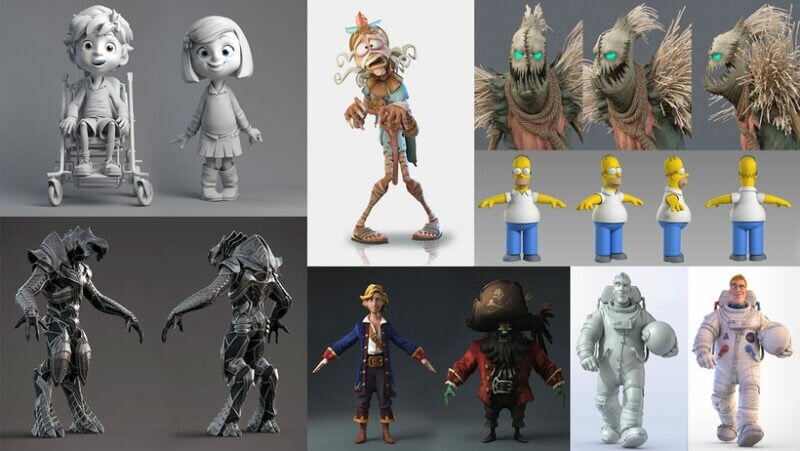
With modern software, anyone who has curiosity and patience can learn to build moving stories and realistic environments. This guide breaks down what 3D animation design is, how it works, what tools you need, and where your new skills can take you.
1. Understanding What 3D Animation Design Really Is
At its core, 3D animation is about bringing digital objects to life with movement and emotion. It combines modeling (creating the shape), texturing (adding color and surface details), rigging (building a skeleton), and rendering (producing the final image).
Unlike 2D animation, which remains flat, 3D animation adds depth and perspective — making scenes feel real. Think of movies like Toy Story or Frozen; every character and environment starts as a 3D model.
3D design isn't limited to films. It's used in architecture to preview buildings, in product design to visualize prototypes, and in medicine to simulate surgeries. The same skills apply across many industries, making 3D animation a powerful creative and professional tool.
2. The Building Blocks of 3D Design
Creating 3D animation involves several key stages:
-
Modeling: Shaping objects, characters, or environments using geometry such as polygons and curves.
-
Texturing: Adding materials, patterns, and colors that give objects a realistic look.
-
Lighting: Setting up light sources to define mood and realism.
-
Rigging and Animation: Adding digital skeletons to models and creating movement through keyframes.
-
Rendering: Converting the entire scene into a final image or video sequence.
Each step demands both artistic vision and technical precision. The best animators balance creativity with structure, making sure every movement feels natural and every design element serves the story.
3. Top 3D Animation and Design Tools for Beginners
Today's tools make 3D creation more accessible than ever. Whether you're a hobbyist or chasing a professional career, there's a platform suited for every level.
-
Blender: A free, open-source option ideal for beginners and indie creators. It covers modeling, animation, simulation, and rendering in one package.
-
Autodesk Maya: An industry standard in film and game production. It offers advanced rigging, keyframing, and character animation tools.
-
Cinema 4D: Known for motion graphics, it's widely used in advertising and visual effects.
-
Unreal Engine and Unity: Game engines that let you turn 3D designs into interactive experiences.
-
ZBrush: Ideal for sculpting organic shapes like faces and creatures.
Every tool has its own workflow, so it's smart to pick one, master the basics, and then explore others.
4. How to Learn 3D Animation Step by Step
Starting your 3D journey doesn't require a fancy setup — just a capable computer, free software, and time to practice. Here's a simple learning path:
-
Start with simple models. Build everyday objects like cups, chairs, or cars to understand shapes and lighting.
-
Learn basic movement. Animate a bouncing ball to practice keyframes and timing.
-
Experiment with textures. Add surfaces such as metal, glass, or fabric to your models.
-
Build short scenes. Combine animation, lighting, and camera movement to tell a small story.
-
Render and review. Watch your work, spot anything that feels unnatural, and refine it.
YouTube, Skillshare, and Coursera offer excellent beginner tutorials. Consistency is the key — short, regular practice sessions improve skills faster than long breaks.
5. The Art of Storytelling Through Animation
3D animation isn't only about technical skills — it's also about visual storytelling.
Before you animate, ask: What do I want to say? Every movement should have a purpose.
Notice how a character's walk reveals personality, or how lighting shifts a scene's mood. Cool blue tones might create a calm atmosphere, while warm orange lighting adds energy and emotion.
Even a simple animation — like a bird taking flight — becomes powerful when a story guides it. The more emotion and intent you pour into your work, the more engaging it becomes for viewers.
6. Real-World Applications of 3D Design
3D animation is no longer limited to movies or games. Its uses are expanding into nearly every major field:
-
Architecture: Designers use 3D modeling to preview buildings before construction.
-
Product design: Brands test prototypes digitally, reducing cost and time.
-
Education: Teachers use animated visuals to explain science and history in more engaging ways.
-
Healthcare: Medical simulations and anatomical models support training and diagnosis.
-
Advertising: Animated product videos help brands tell stories that static images can't.
As more industries adopt immersive visuals, the demand for 3D artists is growing quickly.
7. Common Mistakes Beginners Should Avoid
Every artist makes mistakes, and 3D animation has a learning curve. Here are some common pitfalls to watch for:
-
Overcomplicating early projects: Start small to build confidence.
-
Ignoring lighting and textures: They shape realism just as much as modeling does.
-
Skipping references: Always study real-world movements and materials.
-
Not saving versions: 3D projects can crash unexpectedly — version control saves hours of work.
Small mistakes are part of becoming a stronger designer. Patience and practice will refine your workflow.
8. The Future of 3D Animation and Design
3D animation keeps evolving alongside technology. Artificial intelligence is starting to automate repetitive tasks like rigging and rendering, freeing artists to focus on creativity.
Virtual reality (VR) and augmented reality (AR) are also changing how animations are experienced — imagine walking through your 3D world or interacting with your characters in real time.
Cloud collaboration tools allow teams around the world to co-create large projects at the same time. The result is faster, smarter, and more interactive design pipelines.
The future will blend creativity, data, and intelligent automation — making 3D design easier and more exciting than ever.
Conclusion
Mastering 3D animation and design opens up a world of possibilities. From games to film, education to engineering, these skills let you shape the digital experiences of tomorrow.
Start small, practice daily, and stay curious. Every project teaches something new — whether it's better lighting, smoother movement, or more expressive storytelling.
With the right mindset and today's tools, you can transform imagination into motion — one frame at a time.