How Construction Software Works and Why Builders Use It
Do missed deadlines, budget overruns, and communication snags keep dragging your construction projects behind? Is tracking live progress, managing costs, or keeping everyone on the same page a constant challenge? Construction software tackles these very issues by reshaping the way you plan, manage, and carry out construction work.
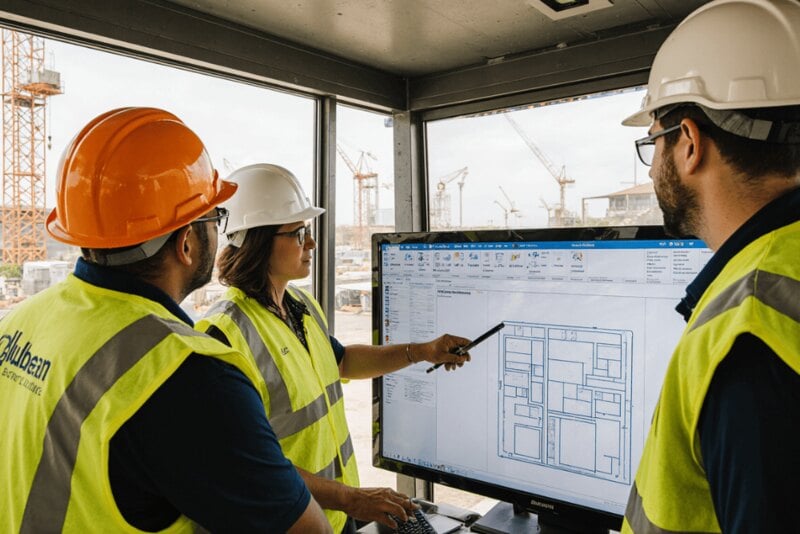
What's Construction Software, Really?
Construction software refers to a suite of digital tools built to assist in planning, delivering, and overseeing construction projects. Its design reflects the real-world conditions of construction, where each job is temporary, job sites shift, and teams are widely dispersed.
Instead of being a one-function tool, construction software works as an operational platform. Schedules, budgets, documents, field activity, and communication are all linked within a single system. With that setup, you can swap standalone tools and manual workflows for coordinated digital processes.
In conventional setups, project data is typically scattered across different formats and places. Drawings live on local drives, cost figures sit in spreadsheets, and communication is spread through email and messaging apps. Construction software removes that fragmentation by providing a single project space where information stays uniform, traceable, and easy to access.
The Role of Construction Software in Modern Construction
The construction sector continues to deal with long-running issues around productivity, risk, and transparency. Projects are getting more complicated, and demands for faster delivery and greater accountability keep growing.
Construction software responds to those pressures by improving information flow across a project. Rather than responding to issues after the fact, you get tools that surface problems sooner and let you handle them more efficiently.
Standardization is another key function of construction software. Digital workflows enforce uniform procedures for approvals, reporting, and documentation. That consistency cuts down on errors and leads to more predictable results.
From a strategic standpoint, the software also improves decision-making. With real-time data at hand, you can assess performance objectively instead of depending on guesswork or outdated reports.
Major Categories of Construction Software
It helps to view construction software as a family of specialized systems, each designed for a different operational job. Combined, they create a full digital ecosystem.
| Software Category | Primary Function | Operational Value |
|---|---|---|
| Project Planning Software | Schedule and task control | Improves timeline accuracy and coordination |
| Financial Management Software | Cost and revenue tracking | Enhances budget control and forecasting |
| Site Operations Software | Field data collection | Connects job sites with management teams |
| Design Coordination Software | Model-based planning | Reduces design conflicts and rework |
Each category targets a particular risk area. When brought together, they form a complete management environment for both daily execution and longer-term planning.
How Construction Software Operates Across a Project Lifecycle
Construction software covers every phase of a project, from initial planning through closeout. The more project functions run in one system, the more value it delivers.
In the preconstruction phase, the software helps keep estimates, schedules, and design documents organized. You can assess feasibility, spot risks, and set realistic timelines before any work starts.
Once construction is underway, attention shifts to execution and control. Field crews enter updates directly into the system, while managers track progress, costs, and compliance live. Issues get logged, monitored, and resolved with complete transparency.
When projects near completion, the software handles closeout tasks like final inspections, documentation transfer, and financial reconciliation. A structured approach like this cuts delays and boosts client satisfaction.
Core Capabilities That Define Construction Software
Although features differ from platform to platform, good construction software generally includes a common set of foundational capabilities.
Typical capabilities include:
-
Centralized storage of project data with controlled access
-
Real-time tracking of progress and status updates
-
Automated workflows for approvals and notifications
-
Integrated cost tracking and forecasting
-
Documentation management ready for audits
Together, these features bring transparency and accountability to the entire project team. You can feel confident that decisions rest on current, dependable information.
How Construction Software Improves Cost and Schedule Control
Budget overruns and schedule slips rank among the most frequent risks in construction. Construction software tackles both by boosting visibility and responsiveness.
Scheduling tools let you map dependencies between tasks. If one activity falls behind, you can see right away how downstream work will be affected. That makes it possible to adjust quickly and plan recoveries realistically.
On the cost side, construction software monitors expenses in fine detail. Labor, materials, and subcontractor charges are linked directly to individual activities or phases. This setup lets you keep comparing planned costs against actual performance.
Catching variances early is essential. The software sends alerts and reports that flag emerging issues before they turn into major problems.
Who Relies on Construction Software?
Construction software enables collaboration across many different roles. Each group puts the system to work in line with its own responsibilities.
| Role | Primary Use Case |
|---|---|
| Construction Managers | Coordinate schedules, teams, and resources |
| Site Supervisors | Report progress, manage daily activities |
| Subcontractors | Access drawings, submit updates |
| Designers | Manage revisions and coordination |
| Business Leaders | Review performance and risk indicators |
| Clients and Owners | Monitor progress and compliance |
When everyone works in one shared platform, construction software lessens miscommunication and strengthens trust among stakeholders.
Common Barriers to Successful Adoption
For all its benefits, construction software doesn't produce results on its own. Poor implementation can limit how effective it is unless the right steps are taken.
Common barriers include:
-
Pushback from teams that aren't comfortable with digital tools
-
Limited training and onboarding
-
Mismatch between software features and real workflows
-
Partial data migration from legacy systems
Meeting these challenges calls for planning and active leadership. Clear explanations of the goals, along with hands-on training, make successful adoption much more likely.
Evaluating Construction Software for Your Business
Picking construction software is a strategic choice that needs to align with your operational priorities. The aim isn't to get the most advanced system but the one that fits your workflows best.
Begin by listing your biggest pain points, whether that's schedule delays, budget overruns, or communication problems. Your software choice should center on addressing those exact issues.
Ease of use matters a great deal. People on site need to operate the system without too much friction. Intuitive interfaces and mobile access are often what decide whether software gets used or set aside.
Scalability is also worth weighing carefully. The system should handle future expansion without a major overhaul. The vendor's long-term stability and quality of support deserve close attention too.
Measuring the Impact of Construction Software
The worth of construction software should be judged by outcomes, not features. Key performance indicators make it clear whether the system is actually delivering.
Gains typically show up as less rework, fewer disputes, and sharper forecasting. Over time, organizations also notice more consistency in how projects are delivered.
Putting a number on these benefits encourages ongoing improvement and makes the case for more investment in digital tools.
FAQ
Is construction software valuable only for large projects?
No. It can be scaled to fit projects of any size and is frequently especially useful for small teams that want better organization.
Does construction software take over human decision-making?
No. It leads to better decisions by supplying accurate, up-to-date information, but experienced judgment is still essential.
How soon will we see results after going live?
Most teams notice operational improvements within the first few months, especially around communication and reporting.
Is construction software able to support remote project management?
Yes. Cloud-based platforms are built specifically for distributed teams and remote access.
Conclusion
Construction software has become a foundational piece of effective construction management. By organizing information, strengthening coordination, and supporting proactive control, it helps you handle complexity with more confidence. When it aligns with your workflows and is adopted properly, construction software turns into a lasting asset rather than just another technology tool.